Creation a new object
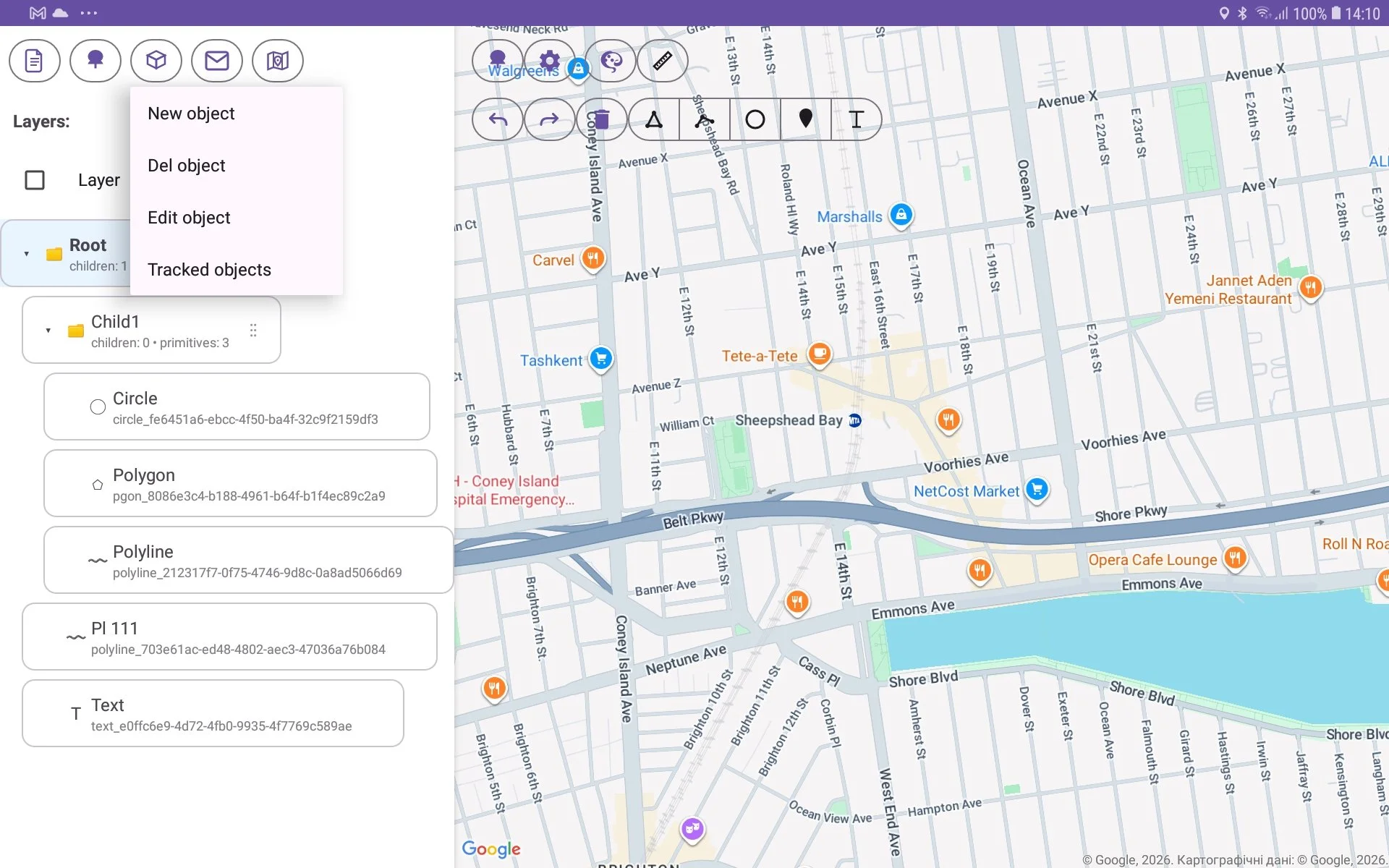
For creation a new object you need to perform such doing:
select object on the tree. This object will be parent object for new one;
press ‘Object‘ menu button (it has cube icon on the image);
press ‘New object‘ menu item;
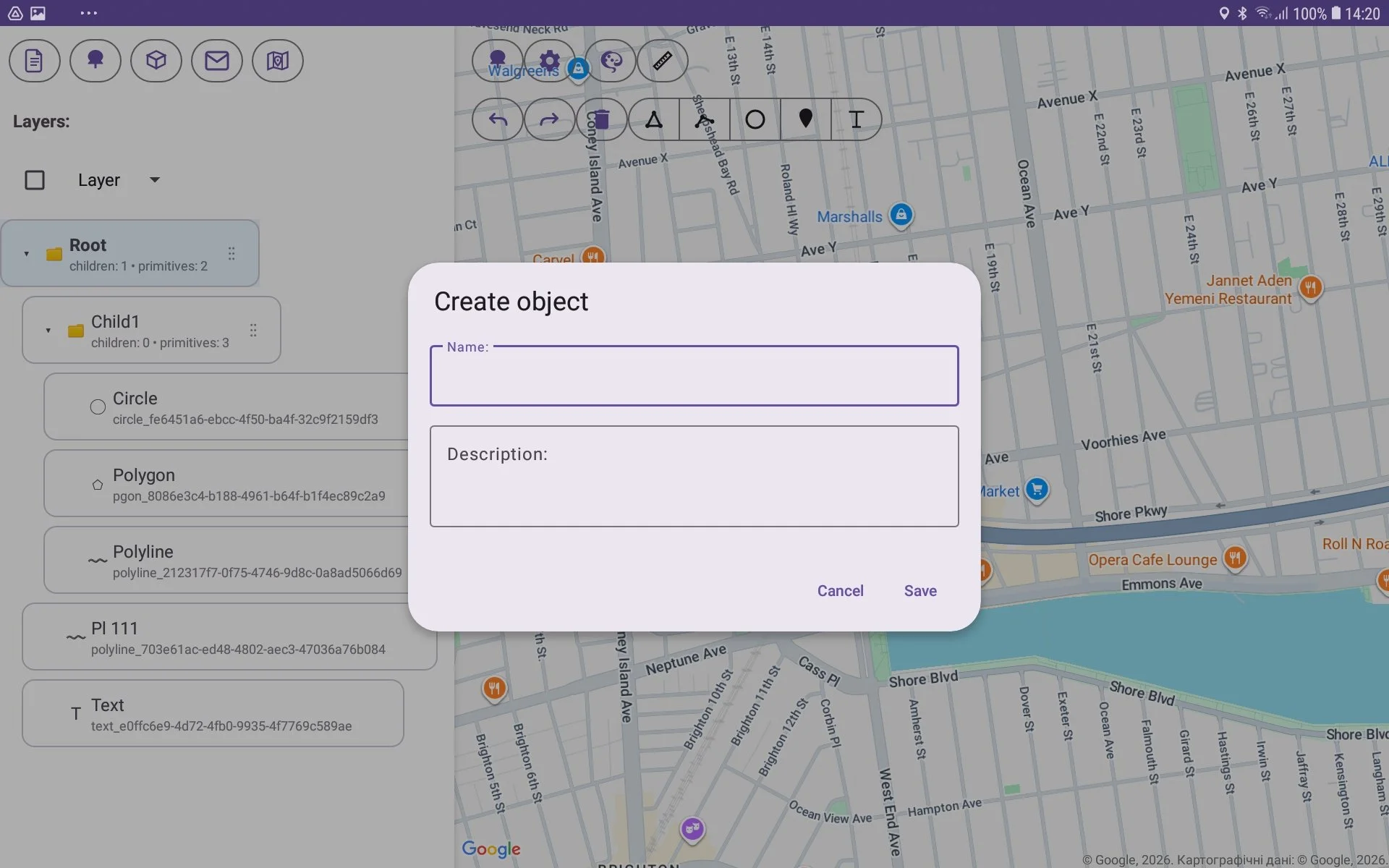
fill Name and Description edit boxes in Create object window which shows after that;
press Save button;
new object will be created.
