How to create object send task
For sending object (or object with its children objects) information (including current location) it is necessary perform such actions:
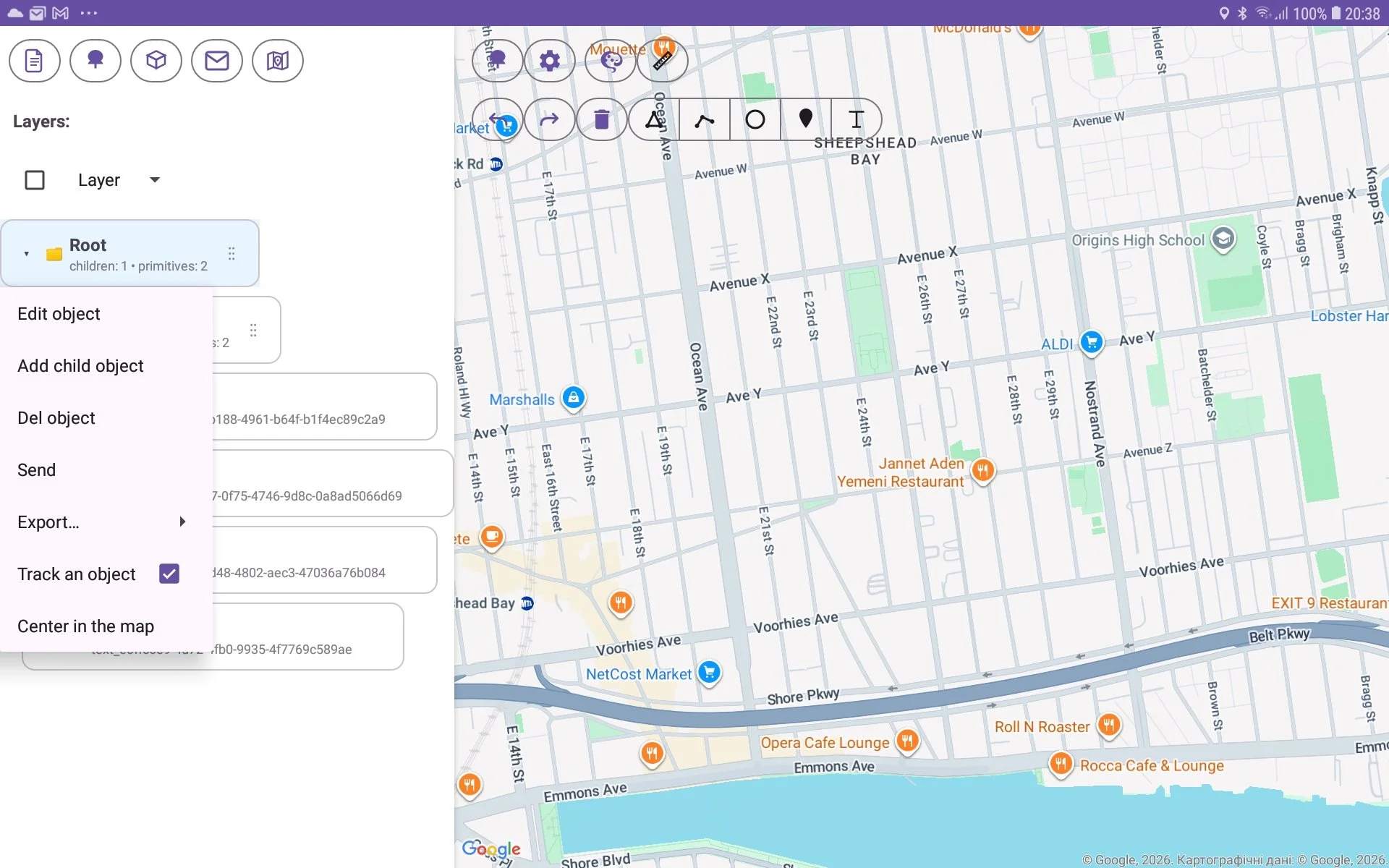
select the object by long pressure;
choose ‘Send‘ menu item;
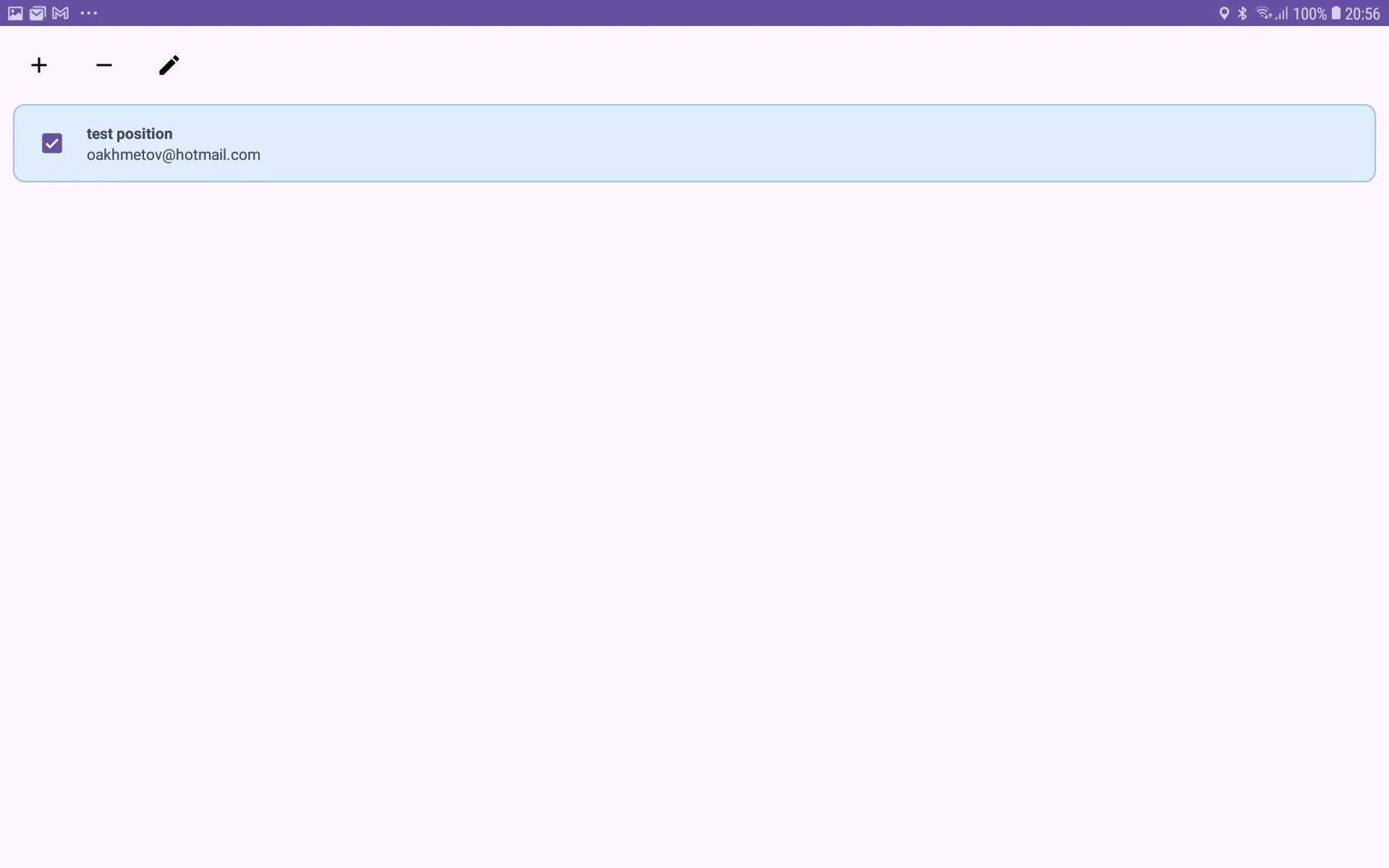
Send task list window will be shown;
Press ‘+‘ button if you want to create new Send Task (or pen button if you want to edit existing task);
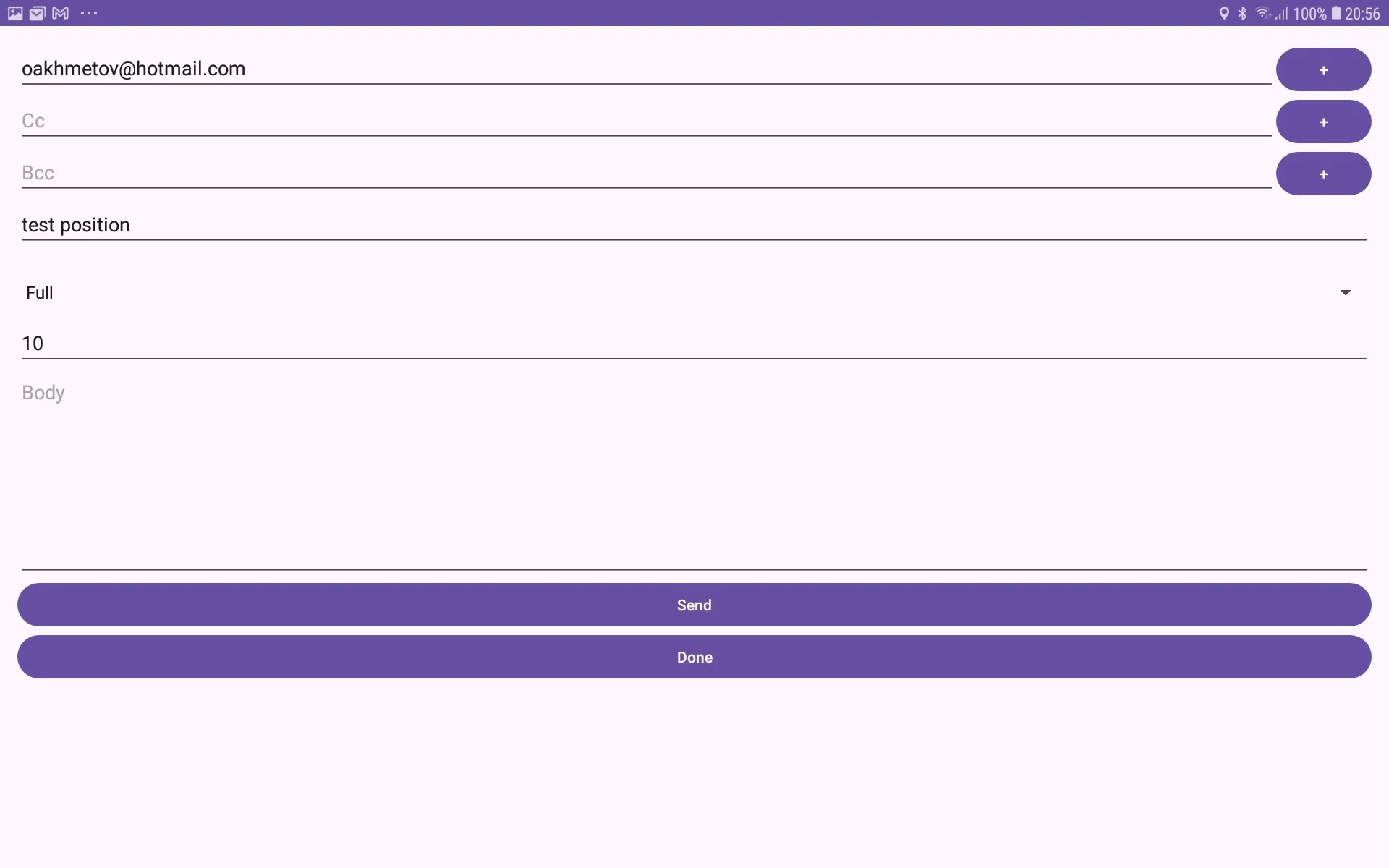
Send Task window will be shown;
enter To field for address of participant whom you want to send this information;
enter Subject and Body fields (it should contain message Subject and Body with some comment you want to send);
enter sending period. It’s time period which is used for sending information periodically. You can set it value to 0 for sending only once;
press ‘Done‘ for periodic sending or ‘Send’ button for immediate sending.
