How to export into KML/KMZ format
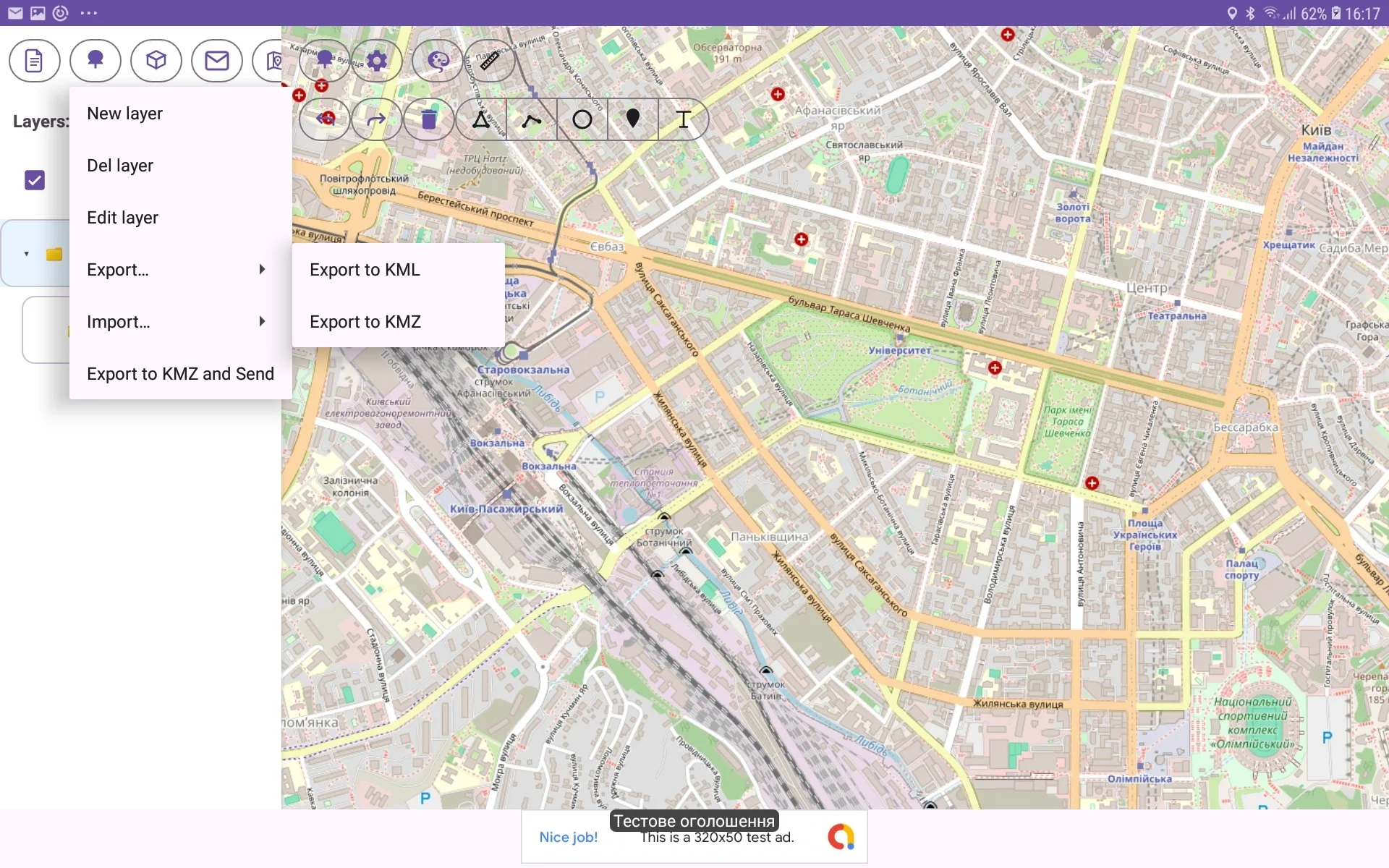
There is possibility to export custom layer (tree) into KML/KMZ format (Keyhole Markup Language). For this you should perform such actions:
go to Tree View and select required layer in spinner Layers;
then press Tree Menu button (with tree icon) in toolbar;
select menu item ‘Export‘;
select ‘Export to KML‘/’Export to KMZ’ item in submenu;
then choose the file (or enter new file name) in Select File window and press Save button.
